

A real estate walkthrough video shows buyers the route through a home, so anything that looks acceptable in a still photo but awkward in motion gets noticed. That includes a dark hallway, a cluttered counter, a ceiling fan left spinning, or a blind swaying in the breeze. Most of what separates a strong listing video from a forgettable one is decided before the camera is switched on, and most of it costs nothing.
This guide is for real estate videography services in Pleasant Hill, CA and the surrounding East Bay who have a video shoot coming up. The short version: plan the route, light every room evenly, clear the surfaces, prepare the exterior, and remove anything that moves, glares, or makes noise. The sections below cover each step, followed by a checklist you can use the day before the shoot.
Why a Walkthrough Video Is Less Forgiving Than Photos
A still photo is one frame. The photographer picks the angle, hides the cord behind the sofa, and leaves the messy corner out of view. A walkthrough video passes through doorways, turns corners, and shows what is on both sides of a room, so far more of the space ends up on screen.
That changes what preparation means. With photos, you ask whether each room looks good from a few angles. With video, you ask whether the whole route looks like one continuous, coherent space. Three things follow from that:
- More of each room is visible. Closets, corners, and the backs of furniture can all appear.
- Consistency matters. If one room is bright and warm and the next is dim and cool, the jump is obvious in motion.
- Movement and sound become part of the image. Fans, curtains, reflections, and background noise don’t exist in a photo but can distract in a video.
Buyers watch these videos to understand layout, scale, and flow. Our 25 years of photography experience taught us that sequence, framing, transitions, and lighting shape how people read a home. Your preparation should support those same things.
Plan the Route Before Anyone Picks Up a Camera
Decide where the video starts and ends
Most home tour videos begin at the front approach or entry and finish at the backyard or the property’s best feature. Before the shoot, decide with your videographer which features matter most. It might be a remodeled kitchen, a primary suite, a view of Mount Diablo, or a large patio. The route should build toward those features rather than bury them in the middle.
Single-story, ranch-style homes are common in parts of Pleasant Hill, and they usually lend themselves to a simple loop: entry, living areas, kitchen, bedrooms, then out to the yard. Split-level and two-story homes need more planning because stairs change the pacing, so decide in advance whether the route goes up or down first.
Make the transitions easy
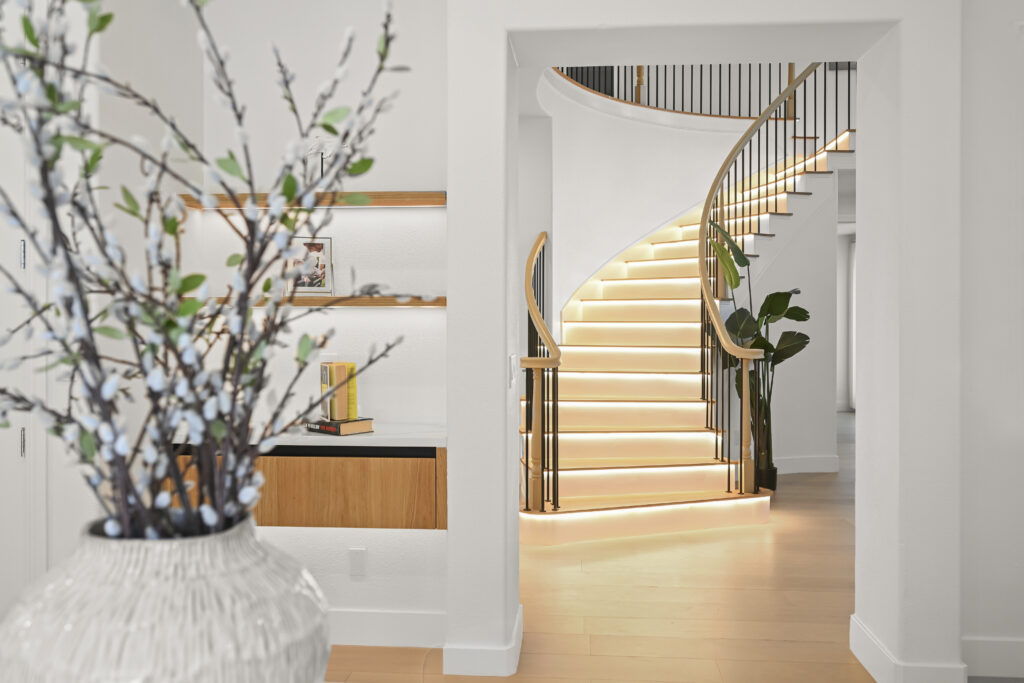
The moments between rooms carry the video. Open every interior door fully so the camera can move through without stopping. Clear hallways of anything that narrows the path, such as shoe racks, laundry baskets, and decorative tables. Close closet doors unless the closet is a selling point, in which case it should be neat enough to show. A clear path also helps the videographer move smoothly, which shows up in the final footage.
Room-by-Room Preparation
Entry and living areas
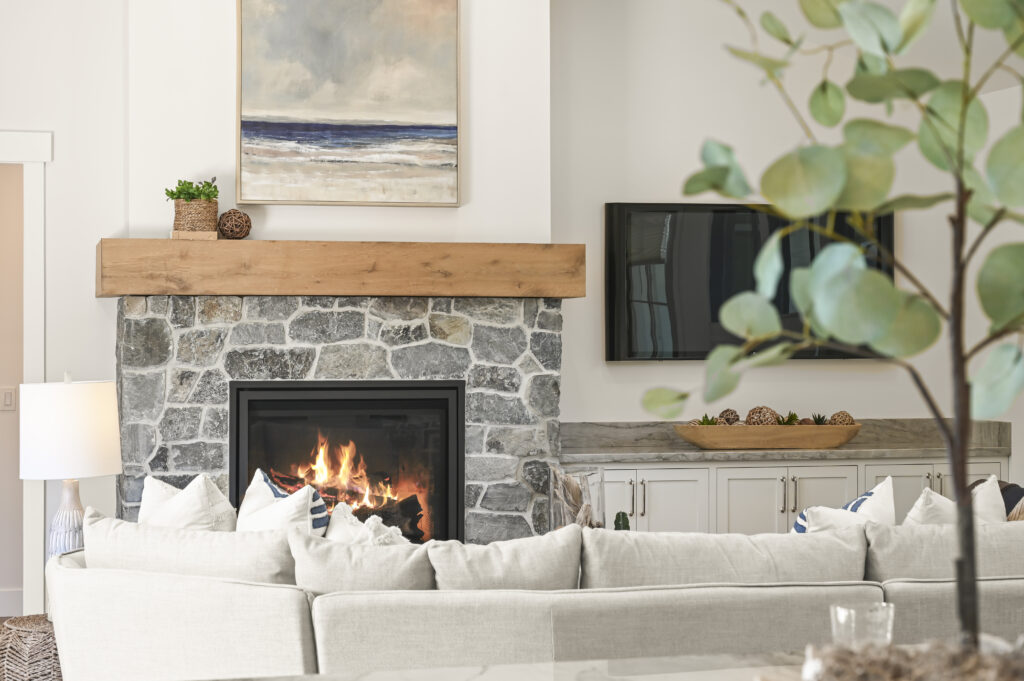
The entry sets the tone for everything that follows. Clear it of shoes, coats, mail, and umbrellas. In the living room, remove extra throw blankets, remote controls, and phone chargers. Straighten cushions and rugs. If a room has more furniture than it needs, take pieces out. Buyers judge size from what they see, and a room with fewer pieces reads as larger.
Turn TVs off and consider covering or removing very large screens. A black rectangle on the wall reflects the room and sometimes the camera crew.
Kitchen
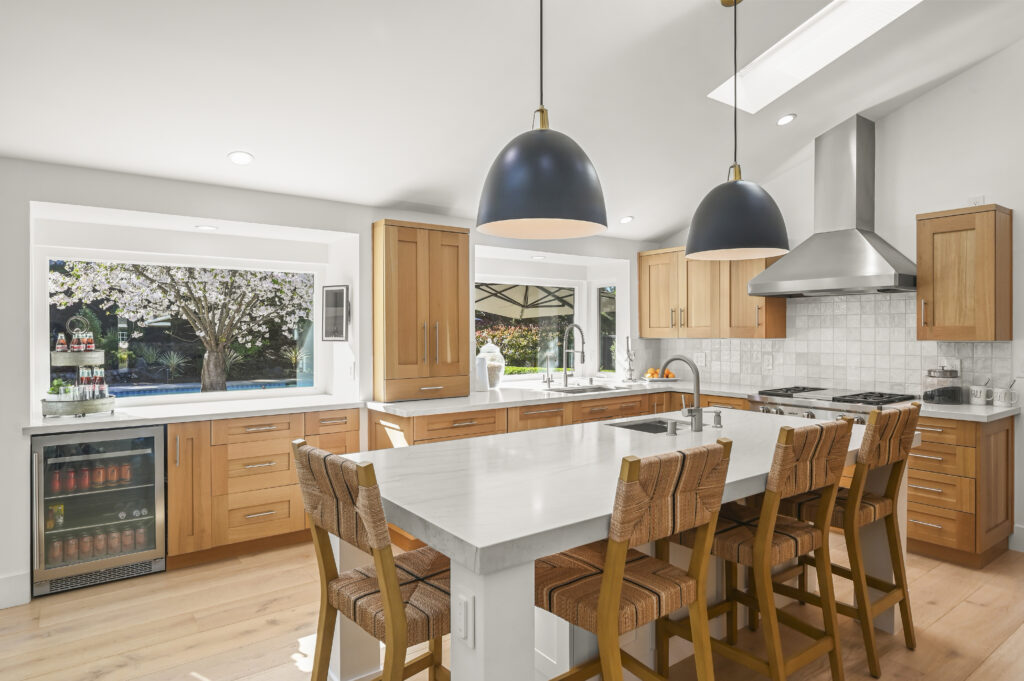
Kitchens draw more attention than any other room, and the camera lingers here. Clear countertops down to a few deliberate items, such as a bowl of fruit or a single plant. Remove dish racks, sponges, soap bottles, paper towels, magnets and papers on the refrigerator, and small appliances that live on the counter. Wipe down stainless steel, which shows fingerprints in video, and make sure the sink is empty and dry. Check under-cabinet lights and pendants, because burnt-out bulbs show up immediately.
Bedrooms and bathrooms
Make beds with the linens pulled tight, and keep bedding simple and neutral where possible. Clear nightstands. In bathrooms, put away toiletries, toothbrushes, and towels that have been used. Hang fresh towels, close toilet lids, and clean mirrors and glass shower doors. Mirrors need extra attention because they reflect whatever is behind the camera. Ask your videographer where they plan to stand so you know which mirrors to keep an eye on.
Garage, laundry, and storage
Buyers do want to see storage space, so include the garage, laundry area, and any pantry or built-in storage in the route. Show them at their best. Sweep the garage floor, stack boxes neatly against a wall, and hide trash and recycling bins. If a space is too cluttered to fix in time, tell your videographer so it can be skipped or shown briefly.
Lighting: Getting the Home Ready for Moving Footage
Turn on every light and check the bulbs
A walkthrough video shifts from room to room, and inconsistent lighting makes that shift jarring. The day before the shoot, replace burnt-out bulbs. On the shoot day, turn on every light in every room, including lamps, closets, pantry lights, and lights over stairs.
Mixed bulb colors are one of the most common problems. When one room has warm bulbs and the next has cool white ones, the color jumps as the camera moves. If you can, use the same color temperature throughout the home.
Manage window light
Natural light makes a home feel open, but very bright windows next to darker interiors are difficult to expose well. Open blinds and curtains to let daylight in, then check for strong direct sun cutting across floors or furniture. Sheer curtains can soften harsh light. Make sure blinds hang evenly, since crooked slats are visible in motion.
Think about the season and time of day in Pleasant Hill
Inland Contra Costa County has a Mediterranean pattern of long, sunny, dry summers and a wetter, grayer winter with shorter days. Both affect video.
In summer, afternoon sun through west-facing windows can be intense. A home with large west-facing glass may look better earlier in the day. In winter, daylight fades early, so a late-day shoot can leave less natural light for the exterior. Overcast days soften exteriors and reduce harsh shadows, though lawns and landscaping can look flatter.
The right time of day depends on how the house faces. Give your videographer the address and ask for their recommendation instead of choosing a time by convenience alone. Our team looks at this on every listing.
Exterior and Yard Preparation
The front approach
The exterior is often the opening and closing of the video, so it deserves the same care as the kitchen. Mow the lawn, edge the walkways, trim shrubs, and remove dead plants. Sweep the driveway and porch, and put away hoses, trash bins, bikes, and toys. Move cars out of the driveway and off the street directly in front of the house if you can. Vehicles, and especially visible license plates, distract from the home and raise privacy concerns.
Backyards, patios, and outdoor living
Outdoor space is a big draw in the East Bay, where mild weather lets buyers use patios, decks, and gardens for much of the year. Clean and arrange patio furniture, wipe down grills, and skim the pool or clear the spa cover if there is one. Remove hoses and pet items. During the rainy season, sweep away leaves and standing water, and try to schedule the shoot when the lawn isn’t soaked.
Aerial footage and airspace
Aerial footage can show lot size, neighboring streets, and proximity to parks and shopping. All Access Photo offers aerial stills with video and city tour options for listings that benefit from that view. Parts of the area sit near Buchanan Field Airport in Concord, so aerial flights in some locations may need airspace checks or authorization. If aerial coverage matters for your listing, raise it early so it doesn’t delay the shoot.
What Shows Up on Video but Not in Photos
Some of the most common distractions only appear in motion. Walk through the home once before the shoot, looking and listening for these:
- Ceiling fans and moving objects. Turn fans off so the blades don’t blur or appear to flicker.
- Sound. Turn off the HVAC fan if practical, silence appliances, and stop running water. Mention noisy landscaping or construction next door so the shoot can be scheduled around it.
- Reflections. Mirrors, glass doors, stainless steel, and TV screens can show the videographer or lights.
- Pets. Cats and dogs can wander into the shot or run through the frame, so plan to move them out of the house or into a closed room.
- Personal information. Take down mail, prescription bottles, calendars, whiteboards with names, and family photos. Videos are shared widely and stay online, so remove anything you wouldn’t want strangers to see.
- Swaying items. Curtains near open windows, hanging plants, and chimes move and pull attention.
Occupied Homes vs. Vacant Homes
Occupied homes need decluttering and depersonalizing. Pack away family photos, refrigerator collections, and excess decor, and clear personal items from bathrooms and closets. The goal is a home a buyer can imagine living in, without any sense of someone else’s routine in the frame.
Vacant homes have the opposite problem. Empty rooms can be hard to judge in size, and footage of bare floors can feel cold. A vacant home should still be spotless, with fresh floors, clean windows, and every light working. Virtual staging can add furniture and decor to photographs so buyers see how the rooms might be used, while the video shows the home as it truly exists. Also confirm that power and water are on, since lights, outlets, and faucets often need to be shown working.
Shoot-Day Logistics
Preparation doesn’t end the day before. On the day of the shoot, work through this order of operations:
- Finish staging early. Aim to be done before the videographer arrives so the schedule isn’t lost to last-minute cleaning.
- Give clear access. Make sure gates, garage doors, side yards, and any locked areas open easily. Provide a lockbox code or arrange for someone to be there.
- Keep the home quiet. Fewer people in and out means fewer distractions in the frame.
- Plan for pets and family. The videographer can work faster when the home is empty of occupants.
- Point out the priorities. Mention recent upgrades, standout features, or the neighborhood’s selling points that should get attention.
Also ask what you’ll receive. A longer walkthrough usually suits the property page, while shorter clips work well on social platforms. Agree ahead of time which versions you need so nothing has to be reshot later.
How Video, Photos, and 3D Tours Work Together
A video is one piece of a listing’s marketing, not a replacement for the other pieces. Photos let buyers study details at their own pace. A video shows how the rooms connect. An interactive option such as a Zillow 3D Showcase lets people explore on their own route. Short social clips help keep the listing visible after it launches. Coordinating them through one provider keeps the look, lighting, and timing consistent.
If you’re weighing the options and want to understand how the process works, our real estate videographer services in Pleasant Hill page explains what All Access Photo LLC offers for listings.
Common Mistakes That Weaken a Walkthrough Video
- Preparing only for photos. A room that looks fine from one angle can look cluttered from three.
- Forgetting the light bulbs. One dark room breaks the flow of the whole video.
- Leaving fans, TVs, and screens on. They add motion, reflections, and noise.
- Ignoring the exterior. A polished interior followed by an untrimmed yard leaves buyers with a weaker final impression.
- Leaving personal information visible. Videos travel farther than showings do.
- Arriving with no plan for the route. Without a plan, priority features can get less attention than they deserve.
- Rushing the last hour. Finish cleaning before the shoot starts, not during it.
Pre-Shoot Checklist
Two to three days before
- Decide on the route and the features to feature
- Schedule any needed lawn, window, or carpet cleaning
- Decide what to store and what to keep out
- Tell your videographer about aerial coverage, pets, or noise concerns
The day before
- Replace burnt-out bulbs
- Declutter kitchens, bathrooms, and entries
- Wash windows and mirrors
- Take down personal photos, mail, and papers
The morning of the shoot
- Turn on every light and open the blinds
- Turn off fans, TVs, and background noise
- Move cars and put away trash bins and hoses
- Move pets and stage the outdoor space
- Unlock gates and doors
Conclusion
A strong walkthrough video begins with a home that is prepared for movement. Plan the route, light every room consistently, clear surfaces, prepare the yard, and remove anything that glares, spins, or makes noise. Small steps like these make the footage easier to shoot and better for buyers to watch.
If you have a Pleasant Hill listing coming up and want to talk through the shoot, call All Access Photo LLC at (925) 785-3390. We’re available five days a week, 8:30 AM to 5:30 PM.
FAQs
How far in advance should a home be ready for a video shoot?
Have it fully ready before the videographer arrives, and do the major work, such as decluttering and lawn care, a few days ahead. The morning of the shoot should only be for final touches like turning on lights and moving cars.
Do I need to leave the house during filming?
An empty house is usually easier because people, pets, and voices don’t end up in the shot. Confirm the arrangement with your videographer, since the right setup can depend on the home and the shoot.
How long should a real estate walkthrough video be?
There’s no fixed rule. The video should be long enough to show the home’s layout and highlights, and short enough to hold attention. A fuller version can live on the property page, with shorter clips cut for social platforms.
Can a video replace listing photos?
No. Photos and videos do different jobs. Photos give buyers detail and are used across MLS and print materials, while video shows flow and scale. Most listings benefit from both.
Should I stage the home differently for video than for photos?
Stage for the whole route rather than for individual frames. Clear paths, consistent lighting, and tidy transitions matter more in video than in photos.
What happens if it rains on shoot day?
Interiors can be filmed in wet weather, but exteriors and aerial footage may look better on a dry day. Ask your videographer about their rescheduling approach before you book so you know the plan.